Turn a photo, a sheet or a URL into a draft that is actually complete.
Magic Lister takes whatever you already have, detects the category, fills the item specifics and shows you exactly what is still missing — then hands the finished draft to OmniList to publish.
Two ways in, one finished listing — watch a photo and a product URL both become live listings.

IMG_4471.jpg · front shot captured
Front shot
captured

Side profile
next

Hallmark
to do
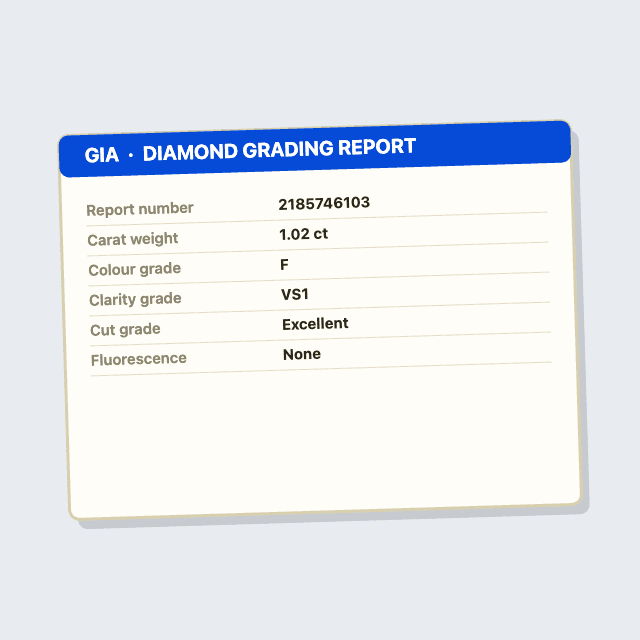
Certificate
to do
01Point and shoot — guided capture names the next shot for this category.
Shot 1 of 4 captured · Emerald halo ring
actions today
needed you
unattended
ways in — one listing draft screen
Magic Lister is how stock stops sitting in a box and starts earning.
See the whole selling lifecycle →Magic Lister turns a photo, a sheet or a URL into a listing complete enough to publish the same day.
The finished draft is handed to OmniList, which formats it for every other marketplace.
OpsPilot takes the orders it earns and holds stock to one record.
Engage asks for the review that makes the next listing rank.
What you achieve with Magic Lister
The gap between owning stock and earning from it, measured on a 400-SKU jewellery catalogue.
A supplier sheet or a morning of photos becomes a full set of drafts before lunch, not over a week.
Items earn in the week they land instead of waiting their turn in a listing queue.
Category-required fields are answered from the photos, so the listing is findable in filtered search.
What the category demands is checked before submission, not discovered in a rejection email.
The listing is never the hard part. The completeness is.
Mandatory specifics you find out about at publish
A category needs 19 attributes. You learn which nine are missing only when the channel rejects the listing.
A spreadsheet that never matches the template
Your headers, their fields. Mapping 30 columns by hand, again, every time the supplier file changes.
Imported data that is not yours to use
Pasting a competitor URL pulls their brand, their copy and their photos straight into your listing.
Before and after
Listing 40 new rings
The same work, measured twice — today’s numbers against the same catalogue running on MergeKart.
Photos, supplier sheets and competitor pages, all retyped into a form.
Any input is read, the category detected and the specifics written.
rejected at publish
9
specifics typed by hand
760
of the batch live same day
70%
Four ways in. One draft screen.
Whatever the source, everything converges on the same listing draft — so there is one screen to learn, not four.
Take / upload photos
AI builds the listing from your shots · ~1 min
Import from Excel
Upload a spreadsheet and map your columns · bulk
Connect Google Sheet
Pull products from a live sheet · re-pullable
Paste marketplace URLs
Amazon, eBay or Etsy · brand gate applies
Source picker · four equally weighted choices, with a recently-used shortcut for repeat sellers
19 of 19
specifics resolved before publish
Rings › Fine · median draft
62m
to list a 40-item batch
measured on mobile guided capture
0
listings rejected at publish
8 weeks · Gaurav Gems
“The gaps being pinned at the top is the whole thing. We stopped finding out what was missing from a rejection email.”

“40-ring batches now go live the same day”
Works better with
Magic Lister creates the draft. These three take it from there.
OmniList
Publishes and cross-lists the finished draft
PixelMagic
Cleans and brands the photos you captured
CaratList
Reads the certificate behind a jewellery draft
Self-serve · from ₹1,600/mo
See full pricing →Questions sellers actually ask.
It detects the category and fills the specifics it can determine from your photos and data. Anything it cannot determine is pinned at the top of the draft as your input, and publish stays disabled until those are resolved.
No. Where a value cannot be determined it is shown as a gap rather than guessed. Everything the AI did produce is marked and stays editable.
Yes. The draft is formatted per channel — titles, fields and limits adapted to each marketplace's rules — then handed to OmniList to publish.
Yes. A spreadsheet of several hundred rows produces a draft per row with a per-row status you can audit, so failures are visible rather than silent.
Bring one product and we will draft it live.
Photos, a sheet or a URL — whichever you have. You will see the completeness meter fill in real time.
No card for the first 14 days · your catalogue, not a sandbox